Teachers:
In this panel, general teacher’s data are added, updated or deleted by the admin of respective colleges. When the teacher panel is clicked teacher list appears like in the figure below.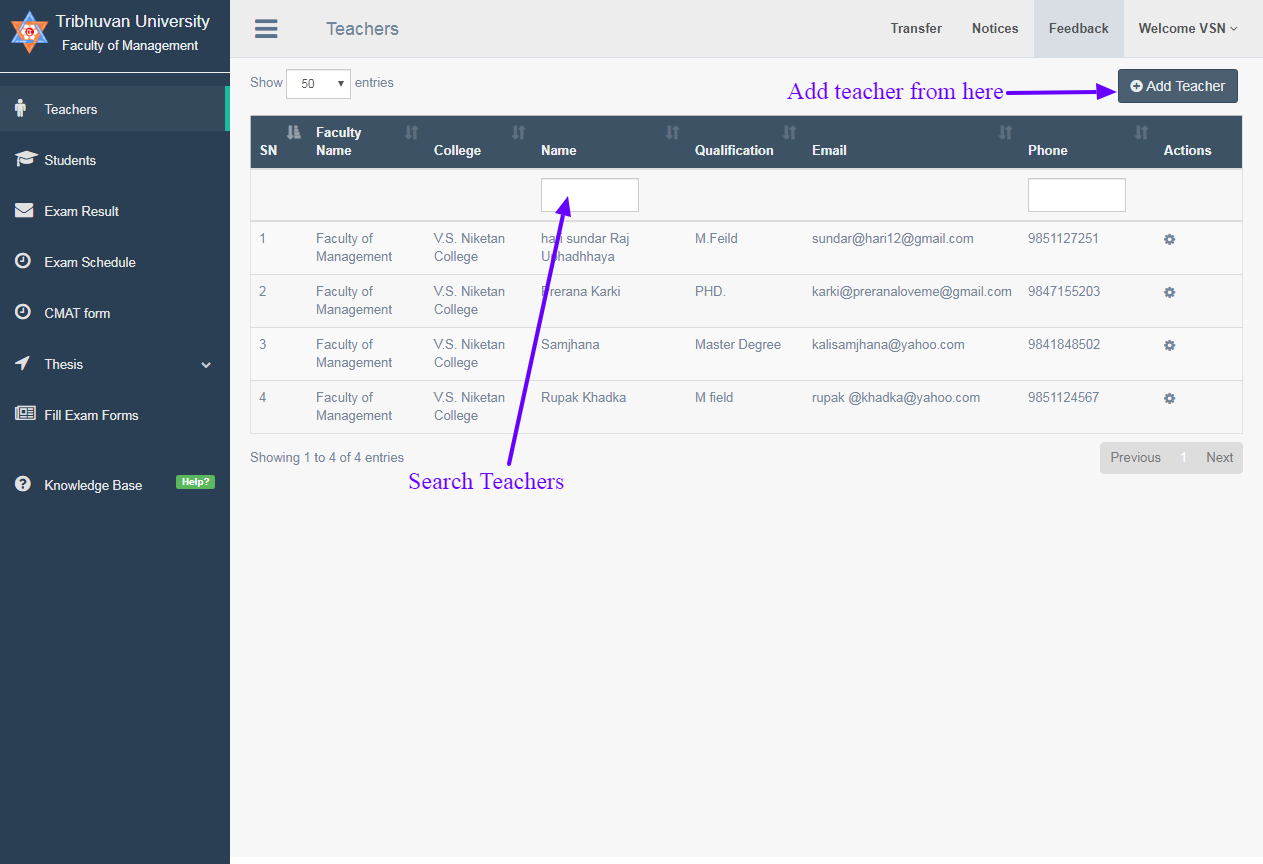
Add Teachers
For Adding teachers click to add teachers on the top right button ,and a new teacher form page will appear.
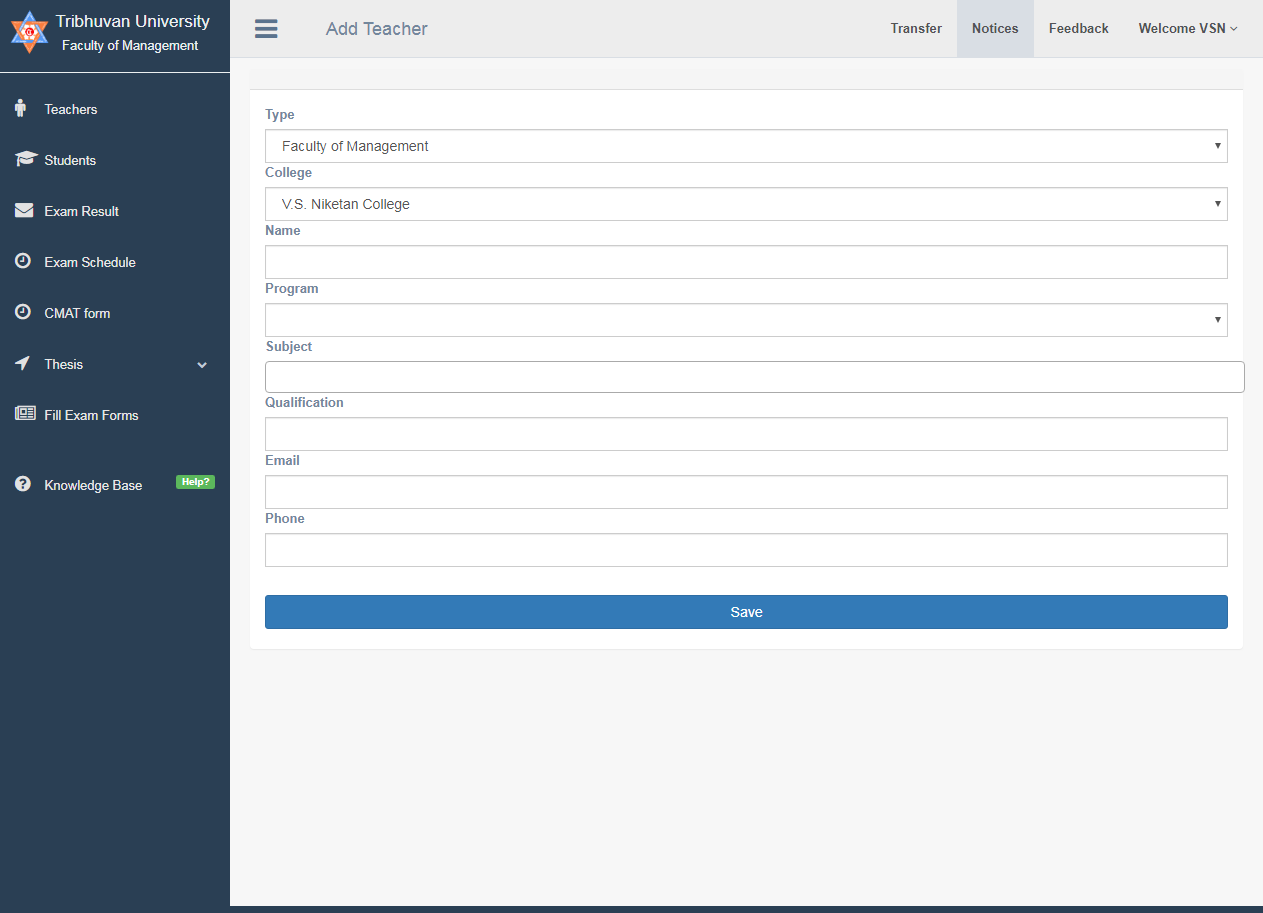
#How to add teacher?
- Select teacher’s faculty type.
- Select teacher’s college name.
- Type teacher’s full name.
- Enter the program the teacher belongs to i.e BBA, BIM, BBS, etc.
- Enter the subjects assigned to the teacher.
- Enter teacher’s qualification.
- Enter teacher’s valid email.
- Enter teacher’s Phone number.
- Click the save button at the bottom.
- If entry is successful, the entered teacher’s data are listed to teacher table.
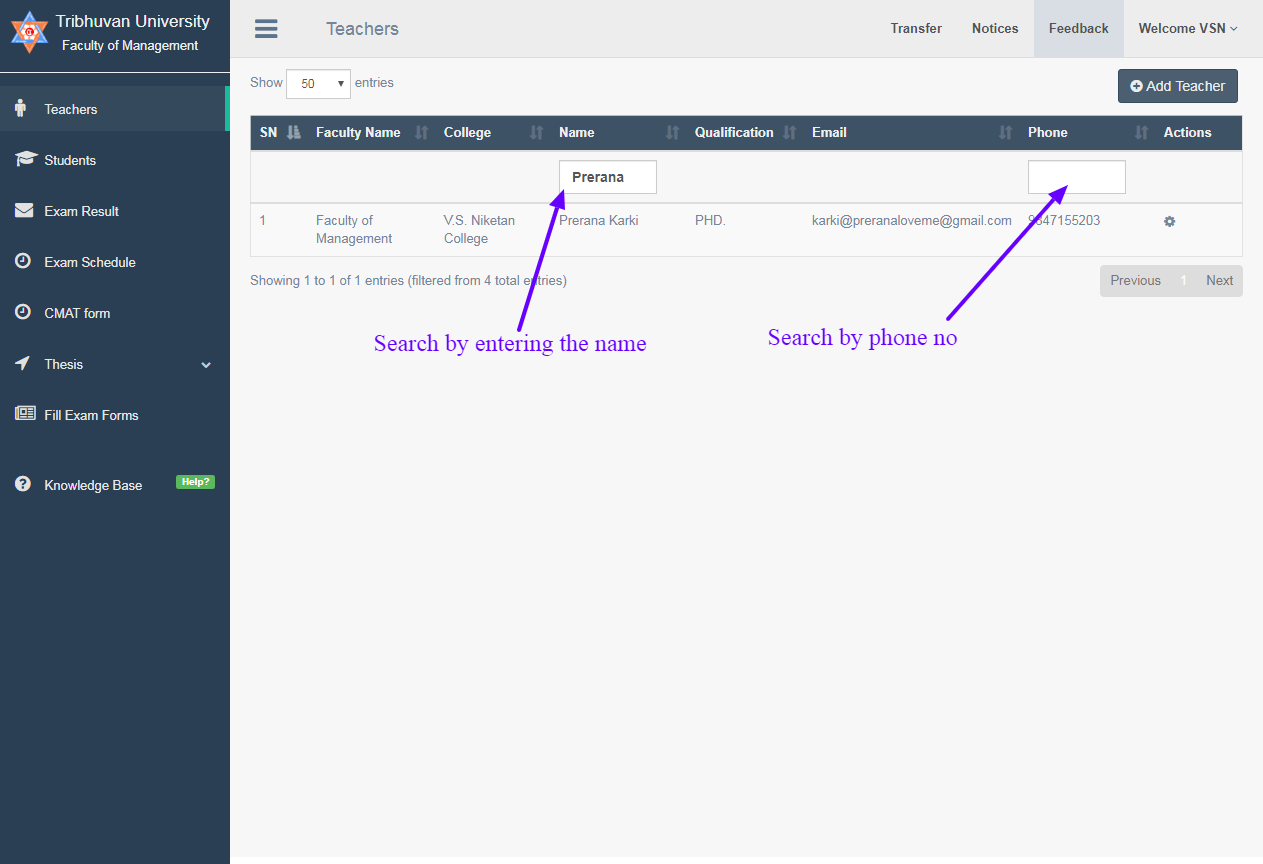
Search Teacher list
- For finding teacher from given teacher list type teacher’s name in the input box or type teacher’s phone number.
- Note: Only one box can be filled out at a time to get result.
Edit/Delete Teachers
- For Editing teachers click on the settings button and option box will appear.
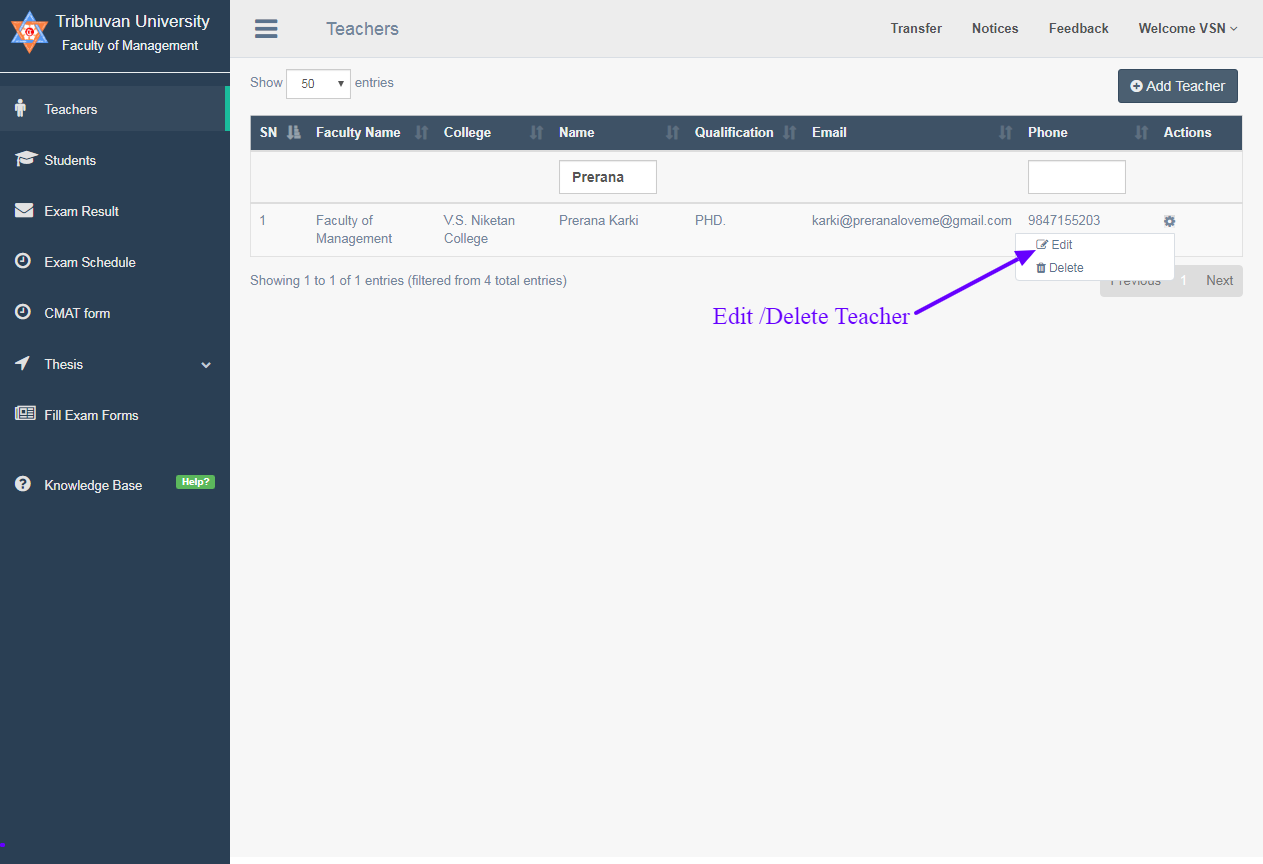
- Click on delete to delete the teacher’s data row from the table.
- Click on edit opens edit form.
- Make the necessary change from the data available for the teacher.
