Thesis
In this panel, respective colleges can add and view progress of the Student thesis. Upon clicking the Thesis panel following page is displayed.
ADD Thesis
To add a thesis click the button Add Thesis on top right of page and following page will be displayed.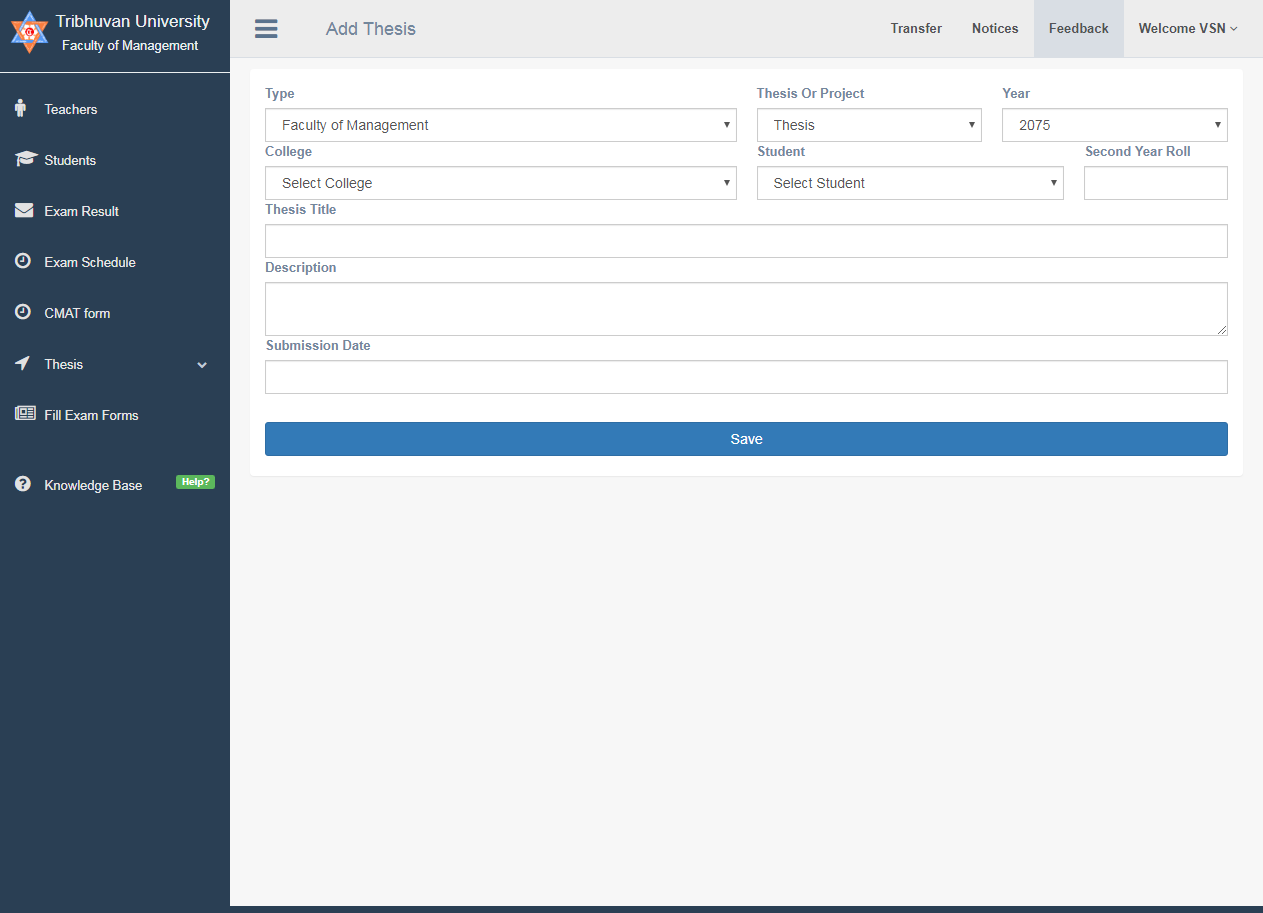
#How to Add Thesis?
The following fields are to be filled.
- Select the Faculty.
- Select if it is Thesis or Project
- Select Submission year
- Select Student from drop down
- Insert the Second Year Roll no of the Student.
- Insert Thesis title.
- Insert small description about the thesis.
- Enter the submisssion date of thesis.
- Click the save button.
#How to Get Update on thesis of Student
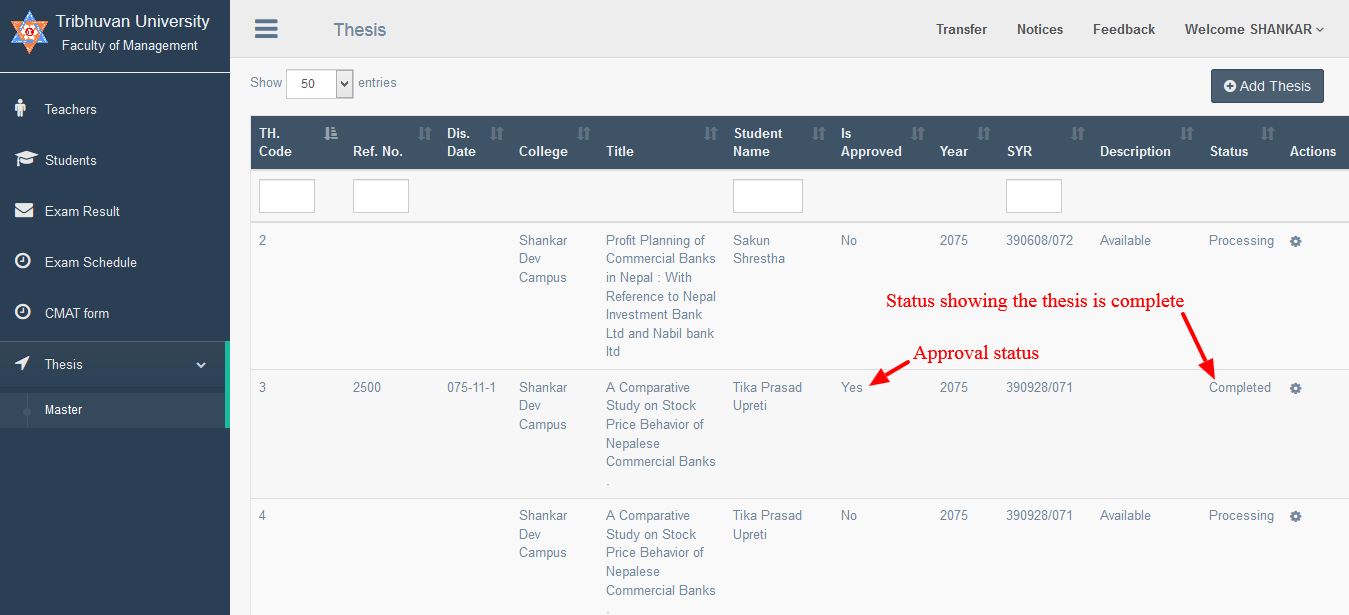
Thesis status information can be viewed in thesis panel. The thesis will have four status
- Complete - If the status is “complete” the thesis assessment is complete.
- Cancelled - If the status is “cancelled” the thesis has been rejected.
- Processing- If the status is “processing” the thesis is being assessed.
Edit/Update thesis information
If the thesis status is pending and there is description on “Description” field then it will be required to respond by editing thesis information.
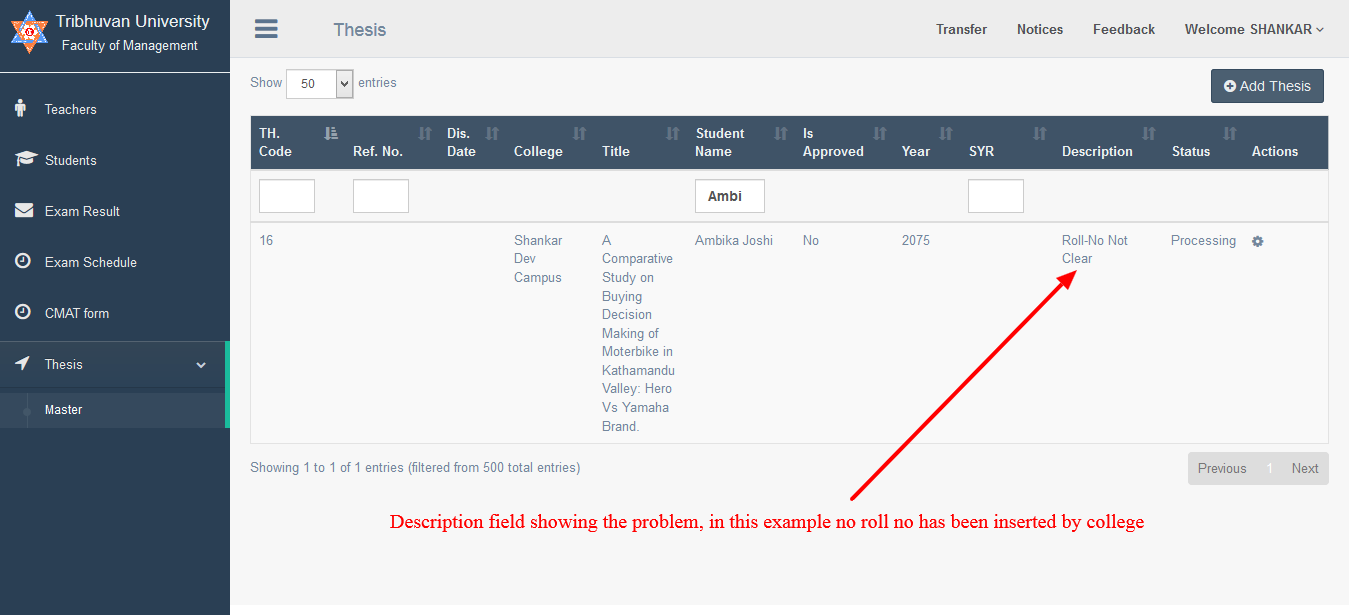
To edit the thesis information if asked in “Description” click on button and click “Edit”. The edit page will open as shown below